
 Amit Singh
On this page
- What Are Funny AI Animal Videos?
- Why Use ChatGPT and Google Flow Together?
- How to Make Funny AI Animal Videos Using ChatGPT and Google Flow
- Master Prompt — 10-Second Viral Animal Comedy for Google Flow
- Tips for Creating Better Funny AI Animal Videos
- Common Problems and Their Solutions
- Can You Use AI Animal Videos for YouTube Shorts and Instagram Reels?
- Frequently Asked Questions
- Final Thoughts
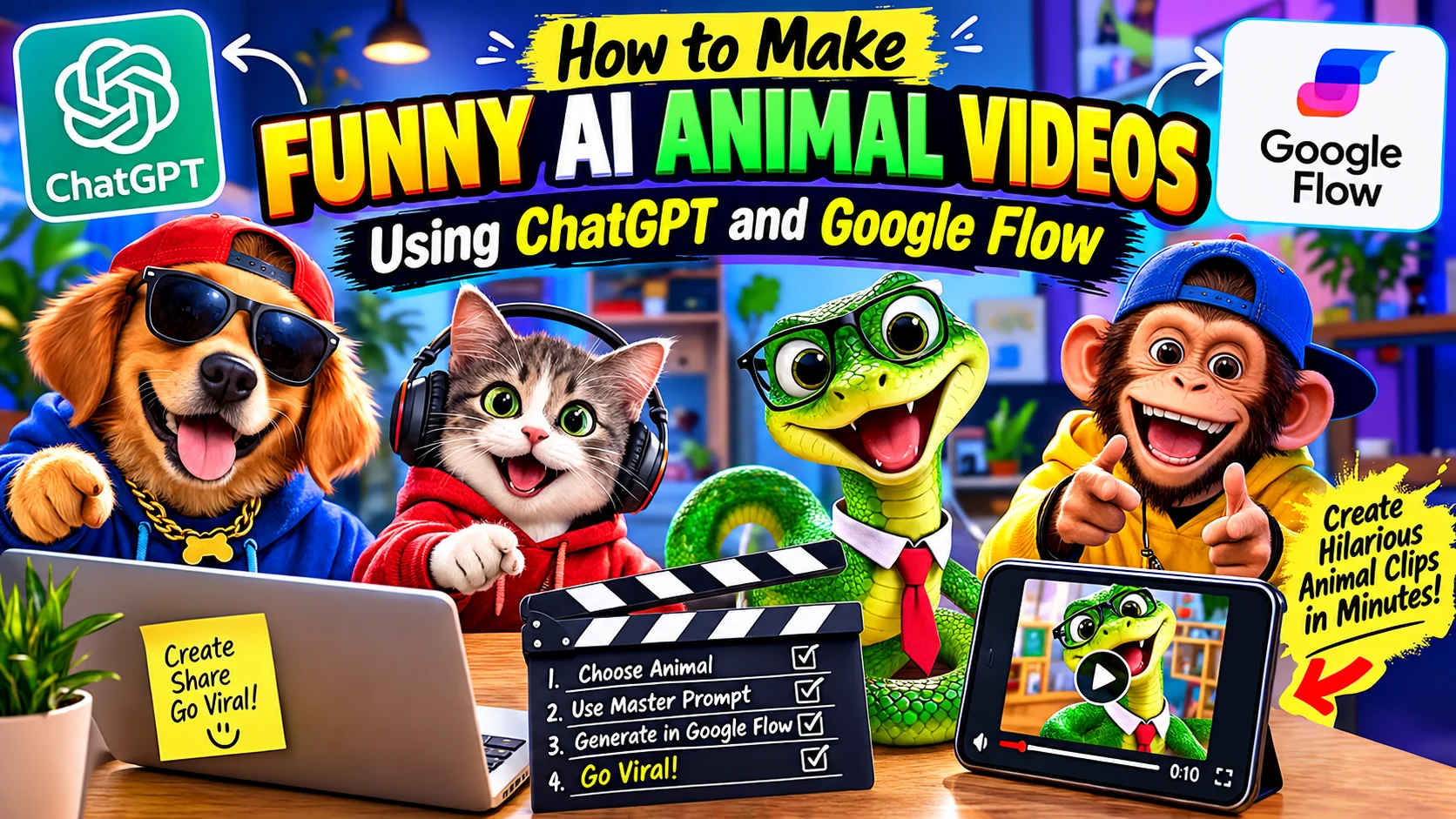
How to Make Funny AI Animal Videos Using ChatGPT and Google Flow
Have you ever wanted to create hilarious animal comedy videos for YouTube Shorts, Instagram Reels, or TikTok without filming real animals? With AI video tools, you can turn a simple idea into an entertaining animated story featuring funny snakes, mischievous monkeys, talking cats, and adorable dogs.
The best part is that you do not need professional animation skills or an expensive camera to get started. You can use ChatGPT to develop a creative comedy idea and write a detailed video prompt, then use Google Flow to generate the video based on your instructions.
In this tutorial, you will learn how to make funny AI animal videos, use a ready-made Master Prompt, generate short animated comedy clips, and improve your results before publishing them on social media.
What Are Funny AI Animal Videos?
Funny AI animal videos are computer-generated clips featuring animals in humorous, imaginative, or unexpected situations. These videos may show a snake behaving like a teacher, a monkey playing a prank, a dog working as a shopkeeper, or a cat reacting dramatically to a small surprise.
Unlike traditional animal videos, AI-generated animal comedy lets you create fictional characters and situations without arranging a real-life recording session.
For example, imagine a green cartoon snake visiting an airport and trying to explain its travel plans in funny Hindi-English dialogue. Or picture a little student snake giving a clever answer that leaves its teacher speechless.
These short, story-driven ideas can be developed with ChatGPT and brought to life using an AI video-generation tool such as Google Flow.
Why Use ChatGPT and Google Flow Together?
Each tool serves a different purpose in the creation process.
ChatGPT for story ideas and prompts: ChatGPT can help you develop funny situations, write short dialogues, plan a beginning and ending, and prepare a detailed video-generation prompt.
Google Flow for video generation: Google Flow supports video creation from text prompts and other supported inputs. You can describe your characters, their actions, the environment, camera movements, and visual style to guide the generated clip.
Short-form content creation: You can plan your videos in a vertical 9 format for platforms such as YouTube Shorts and Instagram Reels when the relevant option is available.
Combining these tools provides a practical starting point for creators who want to experiment with AI animal comedy without learning a complicated animation workflow. Features and generation limits may vary by account. Google Flow’s official guide explains its supported video-generation workflow.
How to Make Funny AI Animal Videos Using ChatGPT and Google Flow
Follow these steps to create your first AI animal comedy video.
Step 1: Choose an Animal for Your Video
Start by selecting the main character for your comedy story. You can use a snake, monkey, dog, cat, parrot, rabbit, or another animal.
Try to choose an animal that fits the joke you want to create. A snake might work well as a classroom teacher, while a monkey could be a mischievous character who accidentally gets caught in its own prank.
Here are some ideas to get started:
- Funny snake comedy in a classroom
- Monkey playing a prank on another animal
- Dog pretending to be a shopkeeper
- Cat acting like a strict school principal
- Parrot copying the words of a police officer
Keep the concept simple enough to communicate clearly in a short video.
Step 2: Copy the Master Prompt
To simplify the process, use the Master Prompt below. It is designed to instruct ChatGPT to create a complete 10-second animal comedy video prompt for Google Flow.
The prompt includes rules for timing, storytelling, visual style, character consistency, Hindi dialogue, sound effects, and the final output format.
Important: The original Master Prompt below has not been edited. To use it, copy the complete text into ChatGPT and replace the sample animal name, [snake], with the animal you want to feature.
Master Prompt — 10-Second Viral Animal Comedy for Google Flow
Master Prompt
10-Second Viral Animal Comedy for Google Flow You are a professional AI comedy scriptwriter and Google Flow video prompt expert specializing in viral animal comedy Shorts. Animal Name: [snake] Create a funny, unexpected, highly entertaining animal comedy video with a total duration of EXACTLY 10 SECONDS. Strict Rules 1. The entire video must be exactly 10 seconds long. 2. Start with a hilarious hook in the first 1–2 seconds. 3. Create one connected, funny story with unexpected actions, exaggerated reactions, and a hilarious ending. 4. Use the selected animal as the main character. Add humans or other animals only when needed for comedy. 5. Use colorful, high-quality 3D cartoon animation, expressive faces, cinematic lighting, and smooth movements. 6. Include 2–3 quick visual beats within the same 10-second video. 7. Maintain consistent character appearance throughout the video. 8. Include short Hindi dialogue, funny sound effects, and appropriate background audio when useful. 9. Format the video in vertical 9 for YouTube Shorts and Instagram Reels. 10. Do not require character photos, reference images, or uploaded assets. Most Important Output Rule Generate ONLY ONE COMPLETE GOOGLE FLOW VIDEO PROMPT in a single copy-ready code block. The single prompt must describe the entire 10-second video from beginning to end, including: Exact timeline from 0 to 10 seconds. All actions and scene transitions within the same video. Character descriptions and funny facial expressions. Camera movements, dialogue, and sound effects. A surprising comedy twist at the end. Consistent characters and animation style throughout. Do not divide the output into separate video prompts. Do not generate separate prompts for individual scenes. All events must be included in ONE continuous video-generation prompt. After the prompt, provide one catchy video title and five relevant hashtags. Generate an original, entertaining comedy video based on the animal name provided. Avoid generic jokes and make the ending genuinely unexpected.Step 3: Generate Your Video Prompt in ChatGPT
Open ChatGPT and paste the complete Master Prompt into a new message.
Change the animal name to your preferred character, such as [monkey], [dog], or [cat]. Submit the prompt and let ChatGPT generate a single, complete Google Flow video prompt.
According to the instructions in the Master Prompt, the generated result should contain the video timeline, character descriptions, actions, camera movements, dialogue, sound effects, and a surprising comedy ending.
Copy the complete generated video prompt for the next step.
Step 4: Open Google Flow
Visit Google Flow and open an existing project or create a new one.
Select the available video-generation workflow and model. In the prompt box, describe the scene clearly using the prompt you generated with ChatGPT.
Google Flow’s available models, aspect ratios, generation lengths, and other settings can vary. Check the options shown in your account before generating the clip.
Step 5: Select the Video Settings
Before generating your video, review the available settings.
For short-form animal comedy content, consider using:
- Aspect ratio: Vertical 9, when available.
- Duration: 10 seconds, if the selected workflow supports it.
- Visual style: Colorful 3D cartoon animation, as described by your prompt.
- Characters: Maintain the same animal appearance and personality throughout the scene.
- Audio: Use the requested dialogue and sound effects when supported.
A prompt can request an exact duration, but you should always check the generated video’s actual length. The model may not follow every instruction perfectly.
Step 6: Generate and Review Your Video
Submit the prompt and allow Google Flow to generate the clip.
Once the result is ready, watch it carefully. Check whether the opening is engaging, the animal’s actions make sense, and the final joke is easy to understand.
Pay attention to character appearance, facial expressions, dialogue, lip-sync, sound effects, and any unexpected visual errors.
If something does not look right, refine the prompt and generate another version where your available generation limits permit.
Step 7: Prepare the Video for Social Media
After generating a suitable clip, download or export it using the available options.
You can then use a video editor to make any necessary finishing adjustments, such as improving audio levels, trimming unwanted frames, or adding a suitable title.
Before publishing, make sure the final video follows the rules of the platform you are using, including any applicable requirements for AI-generated or altered content.
Tips for Creating Better Funny AI Animal Videos
Start with a Strong Comedy Hook
Give viewers an interesting or funny moment right at the beginning. Avoid spending too much of a short video introducing the setting.
Keep the Story Simple
A 10-second video has limited time for multiple actions and conversations. Focus on one main joke, a quick reaction, and a memorable ending.
Use Short, Natural Hindi Dialogue
If your target audience enjoys Hindi comedy, use short, conversational lines that fit the character’s personality. Long dialogue can be difficult to fit naturally into a brief clip.
Maintain Character Consistency
Clearly describe the animal’s color, size, clothing, accessories, and facial features. Consistent character details help guide the video-generation process.
Make the Ending Unexpected
A good comedy ending often changes the situation in an amusing way. For example, the character who starts a prank may end up becoming its victim.
Review the Generated Result
Do not assume every generation will be perfect. Watch each clip and check for strange movements, distorted features, inconsistent characters, unclear dialogue, or unnecessary scene changes.
Common Problems and Their Solutions
The Video Does Not Follow the Prompt
Make sure the prompt gives clear, specific instructions about the subject, action, setting, and visual style. Google also recommends describing these elements in detail when creating videos in Flow.
The Animal Looks Different During the Video
Strengthen the character description and avoid introducing unnecessary changes in clothing, appearance, or accessories. Supported reference-image or character-reference features may also help with some workflows.
The Dialogue Is Too Long
Use fewer words and leave enough time for the character to finish speaking. Review the generated audio to check whether the dialogue is understandable.
The Comedy Ending Is Weak
Make the final action more surprising or connect it directly to the setup. A single well-executed joke is often better than several unrelated actions.
The Video Is Not Exactly 10 Seconds Long
Check the available generation-length settings and verify the exported result. A requested duration in a prompt does not guarantee that the model will produce an exact duration.
Can You Use AI Animal Videos for YouTube Shorts and Instagram Reels?
Yes, AI-generated animal comedy videos can be created for short-form social platforms. A vertical 9 layout is a useful choice when supported by the generation workflow.
However, creating videos with AI does not automatically guarantee views, audience growth, or monetization. Your content should offer original entertainment, meaningful creative input, and a consistent viewing experience.
Review each platform’s current requirements before publishing, particularly rules relating to originality, repetitive or mass-produced content, copyright, and disclosure of synthetic media where applicable.
Frequently Asked Questions
1. Can beginners make funny AI animal videos?
Yes. ChatGPT can help beginners develop the story and video prompt, while Google Flow can generate the clip using supported inputs. You should still review the result and refine it when needed.
2. Do I need an animal photo to generate a video?
Not necessarily. You can describe your animal directly in a text prompt. Some workflows also support reference images, frames, or other inputs, which can be useful when you need more control over a character’s appearance.
3. Can I make a 10-second AI animal comedy video?
You can request a 10-second clip and select an appropriate duration if your chosen model supports it. Always verify the final output because the generated duration may differ from your instructions.
4. Is Google Flow free to use?
Access, usage limits, and available features can change. Check the current options and any usage information displayed in your Google Flow account.
5. Can I use these videos on YouTube Shorts?
You can publish eligible AI-generated videos, provided they follow YouTube’s current policies and any applicable disclosure requirements. Monetization eligibility depends on several factors and is not guaranteed by using AI tools.
6. How can I make my AI animal videos more entertaining?
Focus on an original premise, a strong opening, expressive characters, short dialogue, and a clear comedic payoff. Review each generated clip before publishing.
7. Can I use the same Master Prompt for different animals?
Yes. The Master Prompt is designed around a changeable animal-name field. You can experiment with different animals and compare the results while keeping the rest of the prompt instructions unchanged.
Final Thoughts
Making funny AI animal videos with ChatGPT and Google Flow is a creative way to experiment with animated storytelling. You can start with a simple animal idea, use ChatGPT to develop a detailed video prompt, generate a clip in Google Flow, and review the result before sharing it online.
The key is to focus on original jokes, clear storytelling, expressive characters, and a satisfying ending. Experiment with different animal characters and comedy situations to find a style that suits your audience.
Ready to try it? Choose an animal, copy the Master Prompt above, generate your first video prompt in ChatGPT, and follow the steps to create your own AI animal comedy clip.
Related tutorials
Trending
Viral Cofi Trend Video Prompt: Create Couple Coffee AI Reel Free
Google Flow AI का उपयोग करके ट्रेंडिंग Couple Coffee Mess AI Video कैसे बनाएँ? फ्री AI प्रॉम्प्ट और 9:16 Reels एडिटिंग का स्टेप-बाय-स्टेप ट्यूटोरियल।
Trending
AI से Animal Door Prank Video कैसे बनाएं? Animal Prank Video
Google Flow AI से अपनी फोटो और पसंदीदा एनिमल के साथ AI Animal Prank Video बनाना सीखें। इस आसान हिंदी ट्यूटोरियल में जानें Magic Prompt का इस्तेमाल करके वायरल-स्टाइल AI वीडियो कैसे बनाएं।
Join Our AI Creators Community
Get early access to new AI tools, prompts, ideas, and resources—and connect with creators building with AI.